> ## Documentation Index
> Fetch the complete documentation index at: https://upstash-worktree-docs-descriptions.mintlify.site/llms.txt
> Use this file to discover all available pages before exploring further.
# Monitor & Manage
> Monitor and manage Upstash Workflow flow control keys from the console or REST API, including pausing delivery, pinning configs, and resetting rate counts.
You can monitor wait list size of your flow control key's from the console `FlowControl` tab. The console also allows you to pin, unpin, and reset rate for flow control keys directly.
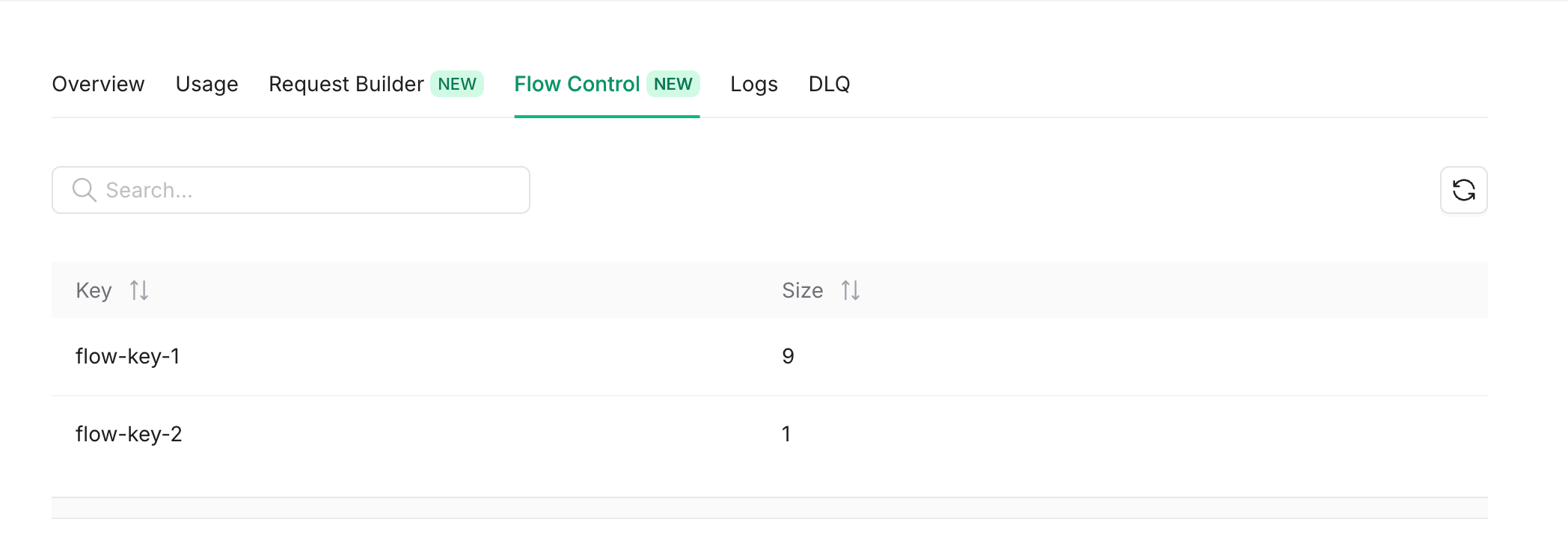 Also you can get the same info using the REST API.
* [List All Flow Control Keys](/workflow/api-reference/flow-control/list-flow-control-keys).
* [Single Flow Control Key](/workflow/api-reference/flow-control/get-flow-control-key).
* [Global Parallelism](/workflow/api-reference/flow-control/get-global-parallelism).
## Manage
You can manage flow control keys by pausing/resuming delivery, pinning/unpinning configurations, and resetting rate counts.
These operations are available via the SDK, REST API, or directly from the **Flow Control** tab in the [Upstash Console](https://console.upstash.com).
Since Upstash Workflow uses QStash under the hood, flow control management is done through the QStash client. See the [QStash Flow Control Management API](/qstash/features/flowcontrol#management-api) for full details and code examples.
Also you can get the same info using the REST API.
* [List All Flow Control Keys](/workflow/api-reference/flow-control/list-flow-control-keys).
* [Single Flow Control Key](/workflow/api-reference/flow-control/get-flow-control-key).
* [Global Parallelism](/workflow/api-reference/flow-control/get-global-parallelism).
## Manage
You can manage flow control keys by pausing/resuming delivery, pinning/unpinning configurations, and resetting rate counts.
These operations are available via the SDK, REST API, or directly from the **Flow Control** tab in the [Upstash Console](https://console.upstash.com).
Since Upstash Workflow uses QStash under the hood, flow control management is done through the QStash client. See the [QStash Flow Control Management API](/qstash/features/flowcontrol#management-api) for full details and code examples.