> ## Documentation Index
> Fetch the complete documentation index at: https://upstash-worktree-docs-descriptions.mintlify.site/llms.txt
> Use this file to discover all available pages before exploring further.
# Overview
> Upstash Workflow automatically retries failed steps with configurable attempt counts and exponential backoff to handle transient errors reliably.
Upstash Workflow provides an automatic retry mechanism to improve reliability and make workflows resilient against temporary failures.
Workflow automatically handles transient errors such as network issues or service unavailability.
## How Retries Work
When a step fails, Upstash Workflow automatically retries the failed step with configurable retry attempts and delay strategy.
This allows temporary issues to resolve without manual intervention.
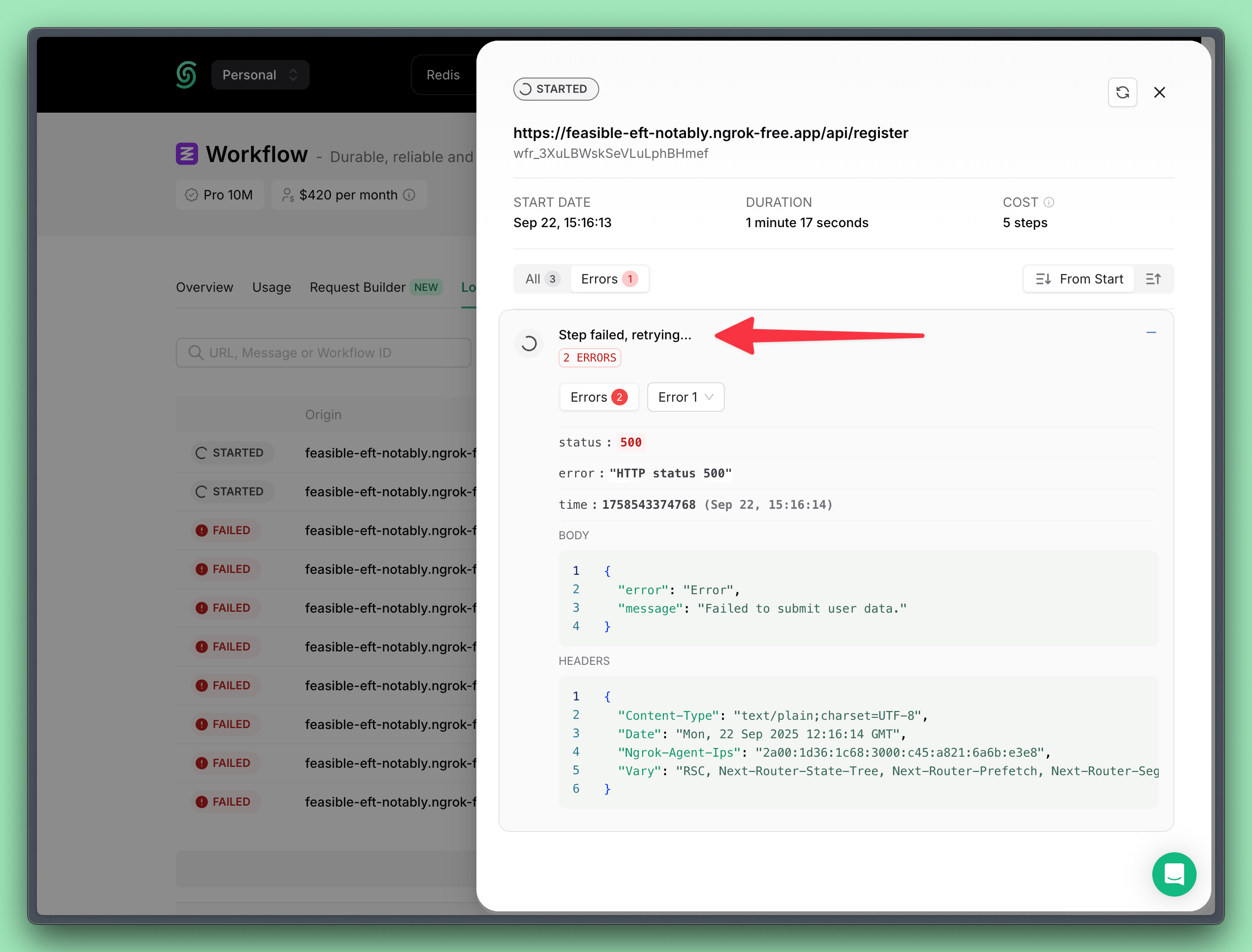 By default, the retry count is set to **3**, and an **exponential backoff** delay strategy is used.
```javascript Default Backoff Algorithm theme={"system"}
// n = how many times this request has been retried
delay = min(86400, e ** (2.5*n)) // in seconds
```
| Retry Attempt | Algorithm | Delay |
| ------------- | --------- | ----- |
| 1 | $e^{2.5}$ | 12s |
| 2 | $e^5$ | 2m28s |
| 3 | $e^{7.5}$ | 30m8s |
| 4+ | $86400$ | 24h |
## Configuration
You can configure retry behavior when starting a new workflow run.
### Configure Retry Attempt Count
You can specify how many times a step should be retried upon failure.
```typescript Configure Retry Attempt Count theme={"system"}
import { Client } from "@upstash/workflow";
const client = new Client({ token: "" })
const { workflowRunId } = await client.trigger({
url: "https:///",
retries: 3
})
```
### Configure Retry Delay Strategy
Retry delay is the time to wait before trying again after a failure. You can define a custom retry delay strategy.
The delay is defined as a math expression that is calculated on every retry.
The expression can use the `retried` variable, which represents how many times the step has already retried (starting from 0).
To apply a constant delay, you can simply provide a fixed value.
The expression must return the delay in **milliseconds**.
```typescript Configure Retry Delay Strategy theme={"system"}
import { Client } from "@upstash/workflow";
const client = new Client({ token: "" })
const { workflowRunId } = await client.trigger({
url: "https:///",
retries: 3,
retryDelay: "(1 + retried) * 1000"
})
```
By default, the retry count is set to **3**, and an **exponential backoff** delay strategy is used.
```javascript Default Backoff Algorithm theme={"system"}
// n = how many times this request has been retried
delay = min(86400, e ** (2.5*n)) // in seconds
```
| Retry Attempt | Algorithm | Delay |
| ------------- | --------- | ----- |
| 1 | $e^{2.5}$ | 12s |
| 2 | $e^5$ | 2m28s |
| 3 | $e^{7.5}$ | 30m8s |
| 4+ | $86400$ | 24h |
## Configuration
You can configure retry behavior when starting a new workflow run.
### Configure Retry Attempt Count
You can specify how many times a step should be retried upon failure.
```typescript Configure Retry Attempt Count theme={"system"}
import { Client } from "@upstash/workflow";
const client = new Client({ token: "" })
const { workflowRunId } = await client.trigger({
url: "https:///",
retries: 3
})
```
### Configure Retry Delay Strategy
Retry delay is the time to wait before trying again after a failure. You can define a custom retry delay strategy.
The delay is defined as a math expression that is calculated on every retry.
The expression can use the `retried` variable, which represents how many times the step has already retried (starting from 0).
To apply a constant delay, you can simply provide a fixed value.
The expression must return the delay in **milliseconds**.
```typescript Configure Retry Delay Strategy theme={"system"}
import { Client } from "@upstash/workflow";
const client = new Client({ token: "" })
const { workflowRunId } = await client.trigger({
url: "https:///",
retries: 3,
retryDelay: "(1 + retried) * 1000"
})
```