> ## Documentation Index
> Fetch the complete documentation index at: https://upstash-worktree-docs-descriptions.mintlify.site/llms.txt
> Use this file to discover all available pages before exploring further.
# Cancel a Run
> Cancel a running Upstash Workflow from the console, the client.cancel method, or the REST API using the workflow run ID.
You can cancel a running workflow both programatically and from your Upstash Workflow console.
## Cancelling via console
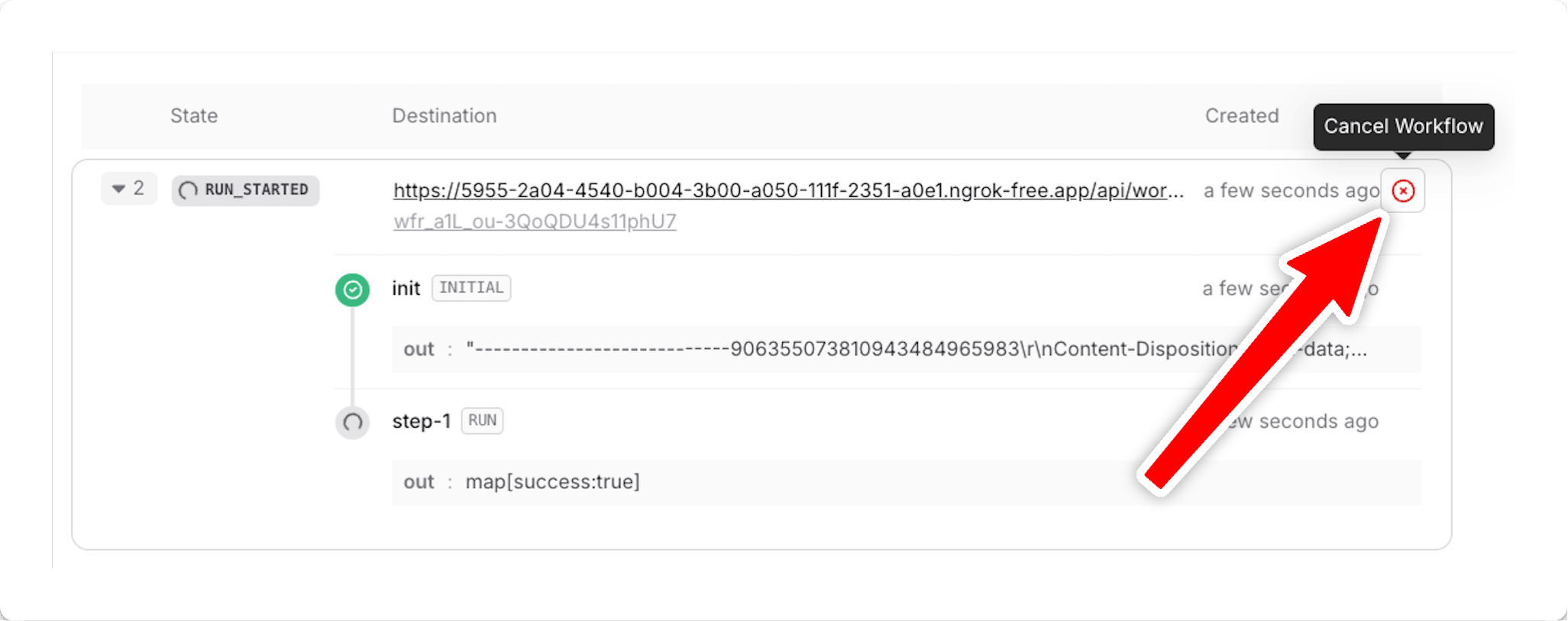
In your Upstash Workflow console, find the run you'd like to cancel and press the `Cancel Workflow` button on the right side:
 ## Cancelling programatically
This feature is not yet available in
[workflow-py](https://github.com/upstash/workflow-py). See our
[Roadmap](/workflow/roadmap) for feature parity plans and
[Changelog](/workflow/changelog) for updates.
```javascript theme={"system"}
import { Client } from "@upstash/workflow";
const client = new Client({ token: "" });
await client.cancel({ ids: "" });
```
And replace `` with your actual run ID. See [the documentation of `client.cancel` method for more information about other ways of canceling workflows](/workflow/basics/client/cancel).
You can also use the [Upstash Workflow REST API](/workflow/api-reference/runs/cancel-workflow-run) to cancel a run programatically.
## Cancelling programatically
This feature is not yet available in
[workflow-py](https://github.com/upstash/workflow-py). See our
[Roadmap](/workflow/roadmap) for feature parity plans and
[Changelog](/workflow/changelog) for updates.
```javascript theme={"system"}
import { Client } from "@upstash/workflow";
const client = new Client({ token: "" });
await client.cancel({ ids: "" });
```
And replace `` with your actual run ID. See [the documentation of `client.cancel` method for more information about other ways of canceling workflows](/workflow/basics/client/cancel).
You can also use the [Upstash Workflow REST API](/workflow/api-reference/runs/cancel-workflow-run) to cancel a run programatically.